Your logo, your colours, your web address
Run your care business around the shift, not the paperwork.
Rostering, notes, compliance, training and pay in one system, in your brand.
The demo opens in one click, with no sign-up. Pick a role and look around.
Built for care providers
One system for the way you deliver support
In-home and community support
Rosters around each participant's routine, workers who clock in on site, and notes and charts written on the shift.
Supported independent living
House rosters around the clock, sleepovers with disturbances paid correctly, and shared shifts for residents.
Support coordination
Plans, budgets, goals and documents in one place, with service requests that turn straight into shifts.
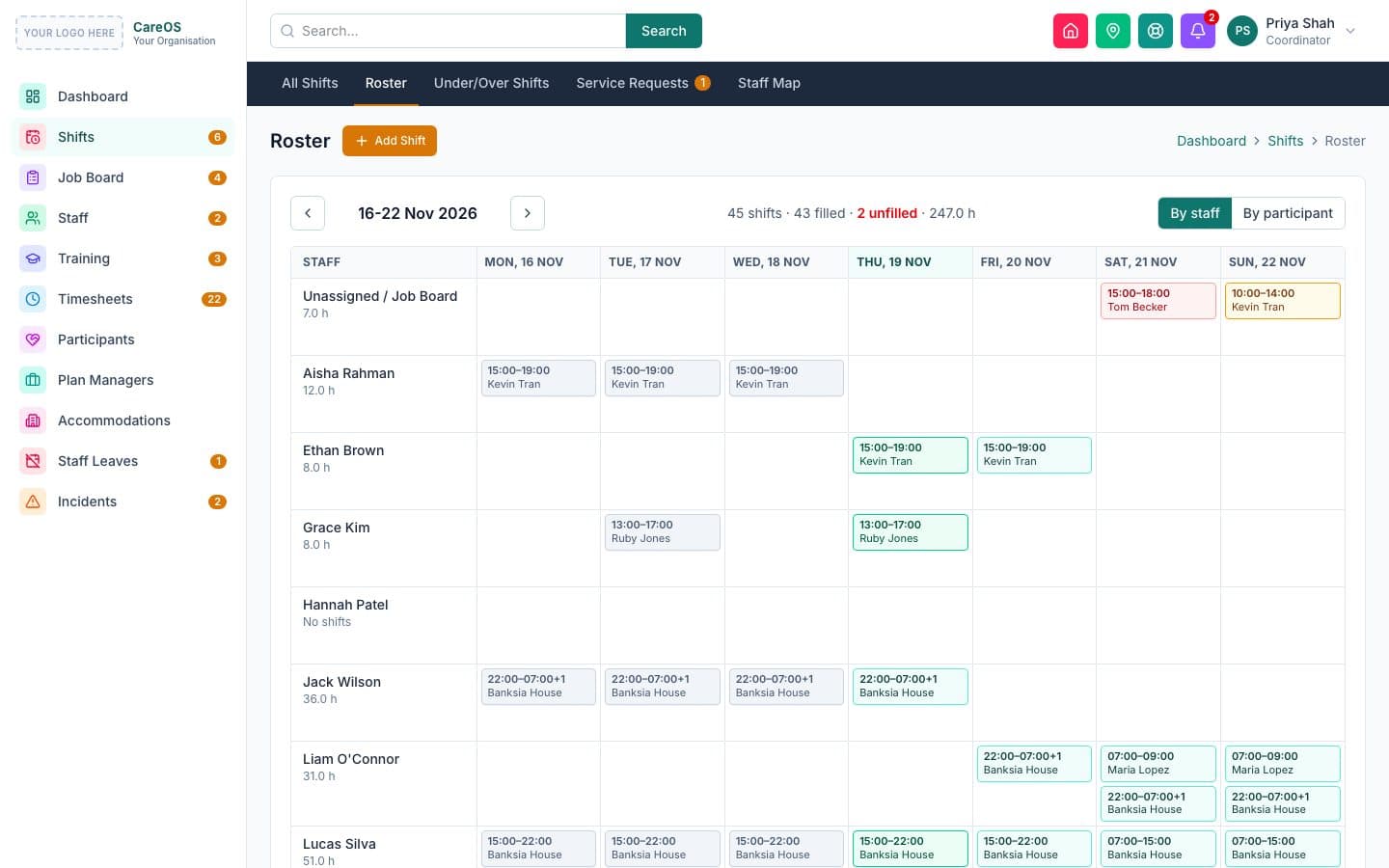
Rostering
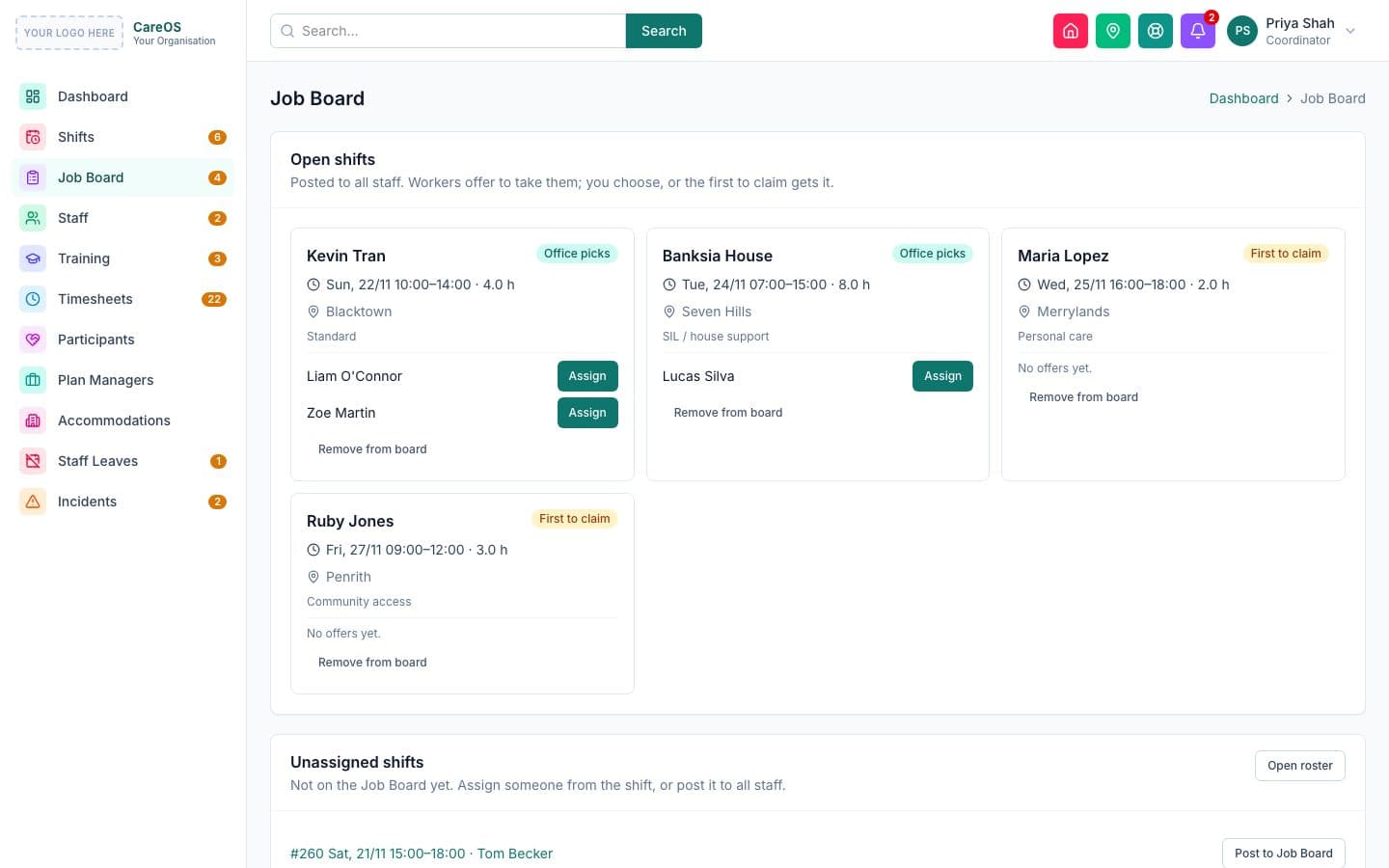
Build the week in minutes, and fill gaps before they become problems
A roster by worker or by participant, with repeating shifts for the routines that don't change. Before a shift is saved, the system checks the worker's availability, leave, credentials and clashes.
- Repeating shifts: daily, weekly or fortnightly
- Conflict checks for leave, availability, credentials and double-booking
- A Job Board where workers put their hand up, or claim first-come
- Workers tell you early when they can't make a shift
GPS clock in and out
Know who's on shift, where, right now
Workers clock in from their phone at the participant's address. Late starts, early finishes and clock-ins away from the address are flagged for the office automatically, and missed clock-ins raise an alert.
- Geofence around each shift address
- Late, early and out-of-area flags
- Missed clock-in alerts to the office
- A live map of staff locations
Timesheets and SCHADS pay
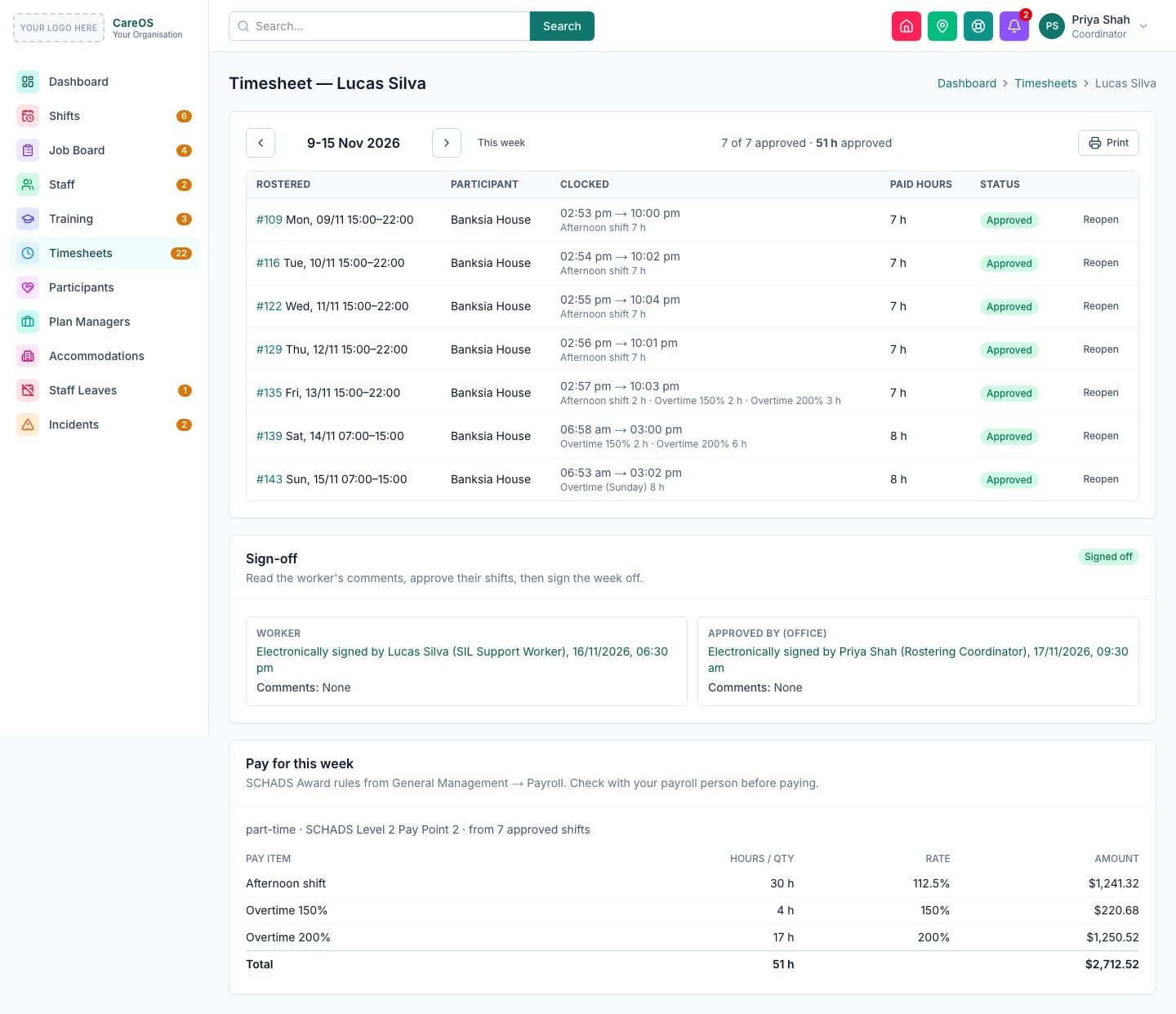
Timesheets that are already done when the week ends
Worked shifts become timesheets automatically. Workers sign their week electronically, the office approves, and the pay breakdown follows the SCHADS Award: weekends, public holidays, overtime, sleepovers and broken shifts.
- Weekly electronic sign-off by worker and office
- SCHADS pay lines worked out for you
- Travel claims and a company-car logbook
- Print or export for payroll
Incidents and risk
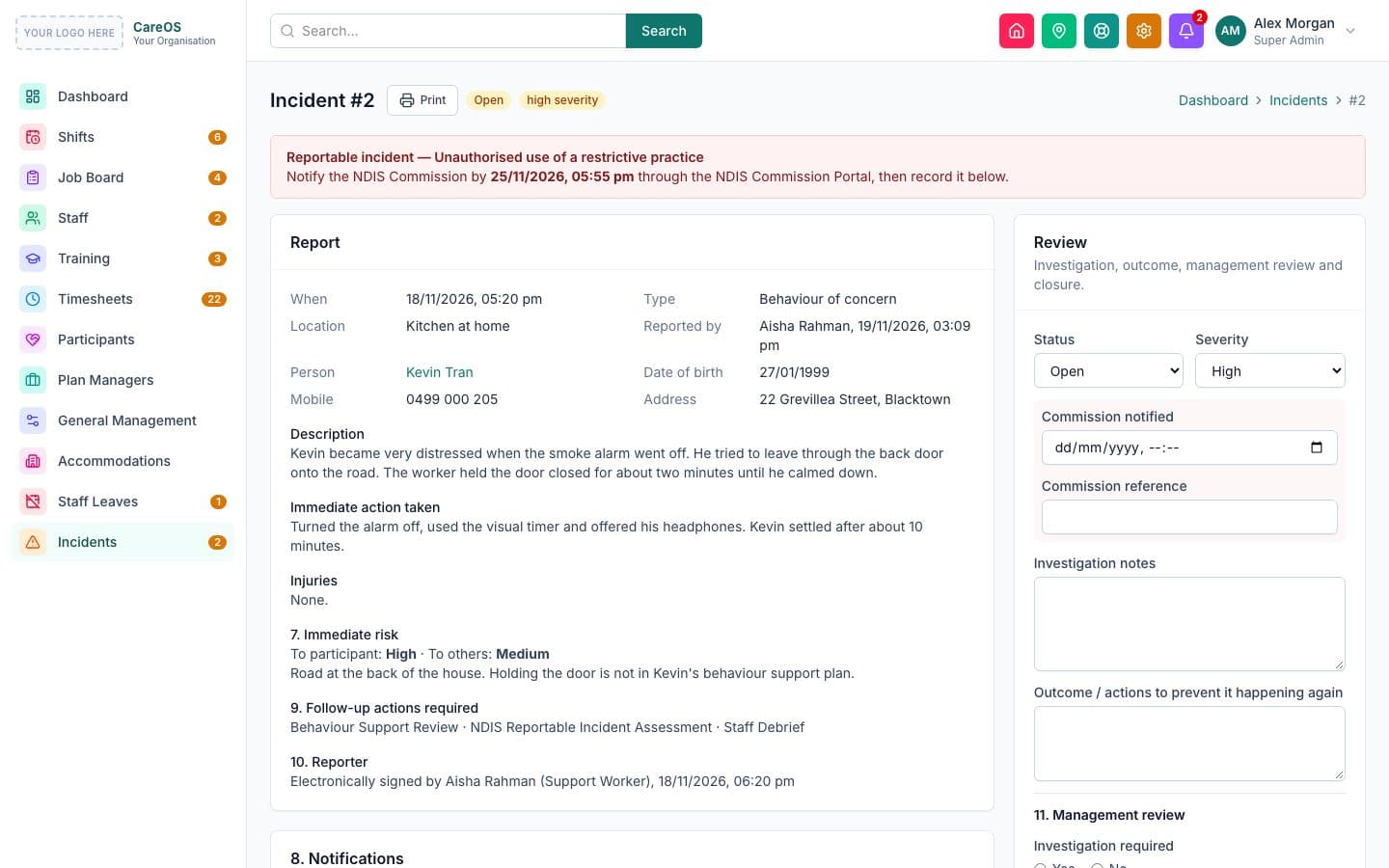
Reportable incidents never miss their Commission deadline
Workers report from the shift in a few taps. The system works out whether the incident is reportable and counts down to the NDIS Commission deadline. A 5×5 risk assessment, controls with owners, and a review date close the loop.
- Reportable categories with 24-hour and 5-day deadlines
- 5×5 risk matrix, controls and scheduled reviews
- Who was notified, when and by whom
- An incident can't be closed until every step is done
Staff compliance and e-signing
Every worker screened, certified and signed off
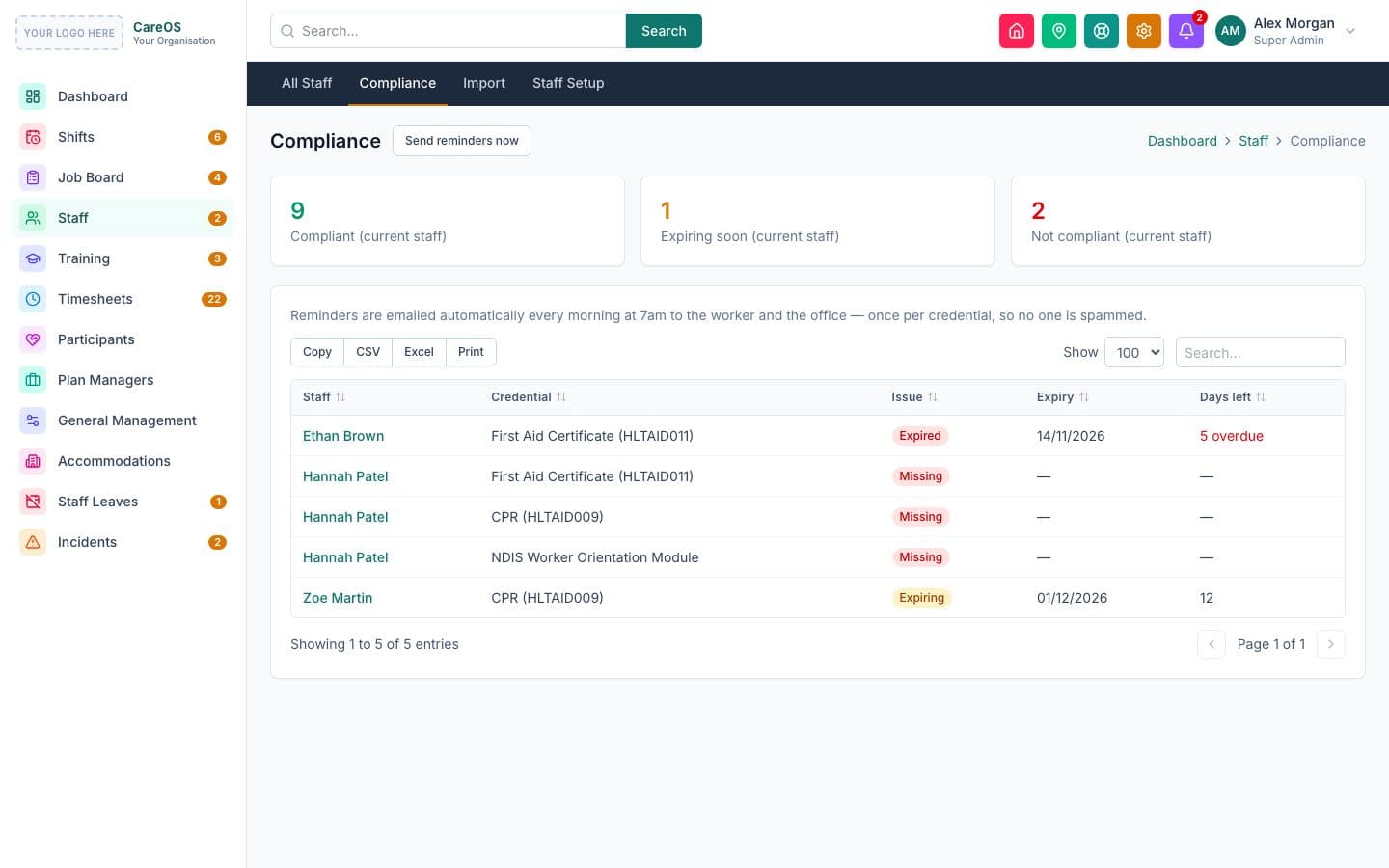
Worker Screening, first aid, CPR and the rest are tracked with expiry dates and reminders. Policies such as the NDIS Code of Conduct are signed electronically, with a tamper-proof record of exactly what was signed.
- Credential expiry reminders before anything lapses
- A compliance view across all staff
- Electronic signing with a fingerprint of the signed text
- Leave requests and availability in the same place
Built-in training
Train your team without another system
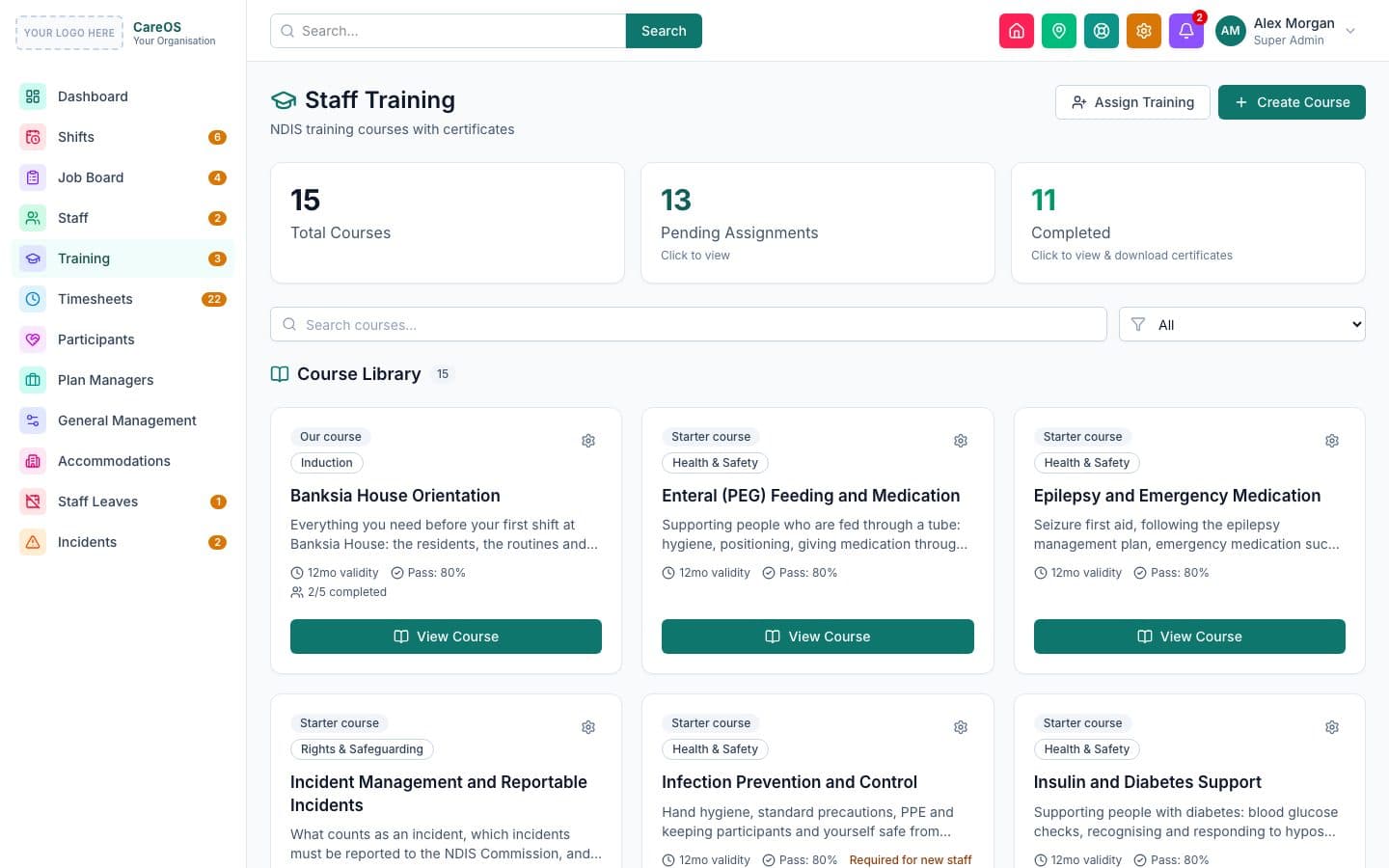
A starter library of NDIS courses is ready on day one, and you can write your own. Workers complete lessons and a quiz on their phone; a pass issues a certificate and updates their credentials.
- Starter courses: Code of Conduct, incidents, medication and more
- Your own courses with lessons and quizzes
- Certificates with expiry and automatic renewal
- Assign to everyone, a team or new starters, with deadlines
Participants and NDIS
The whole person, and the whole plan, in one place
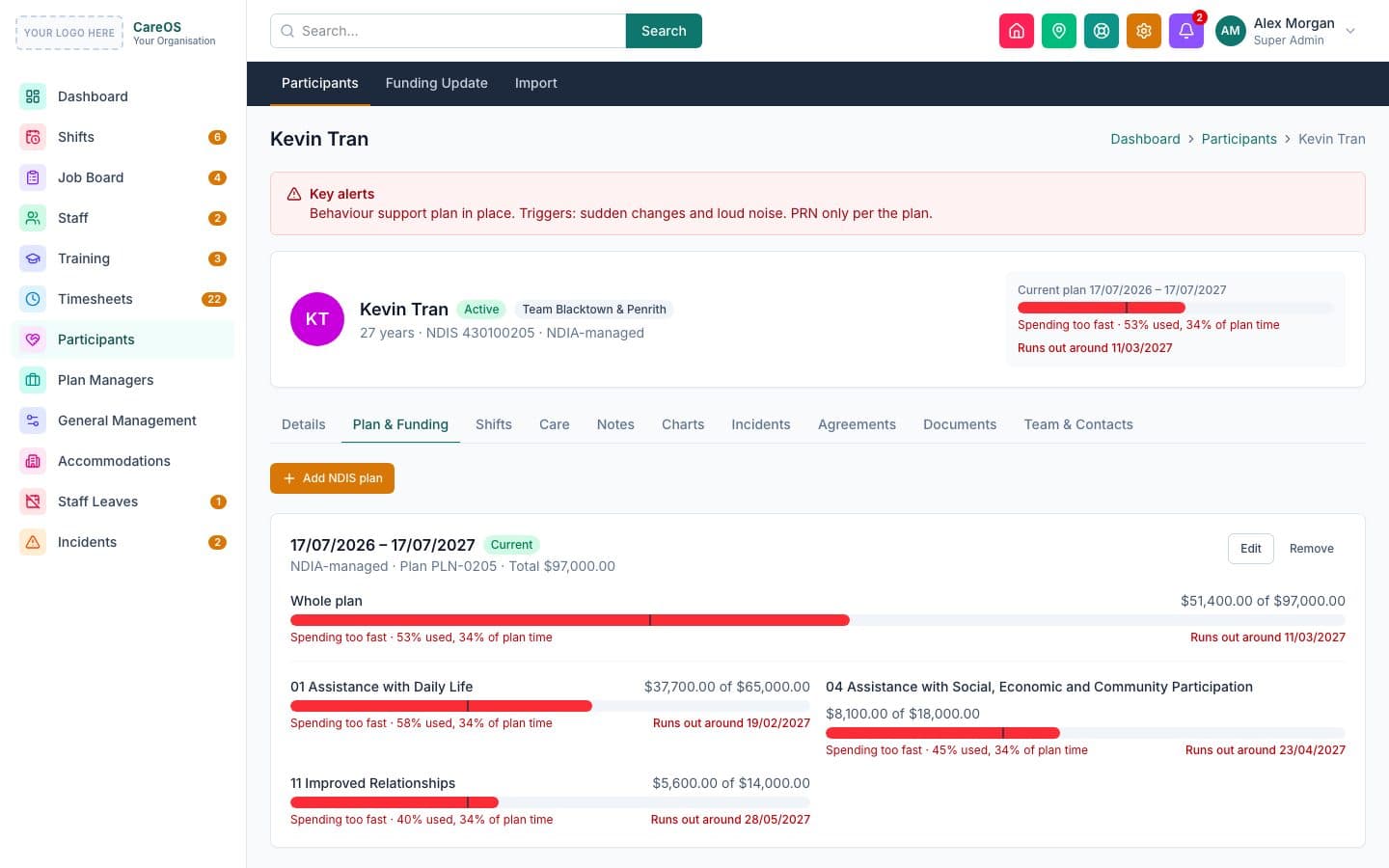
NDIS plans with category budgets show how fast funding is being used against plan time. Goals, medications, key alerts and care instructions follow the participant onto every shift, and charts are recorded as support happens.
- Budgets by support category, with a warning when spending runs ahead
- Goals, medications (including PRN) and key alerts
- Ten charts: behaviour (ABC), medication, fluids, night checks, glucose and more
- Service agreements signed on screen
Supported independent living
24/7 houses, rostered properly
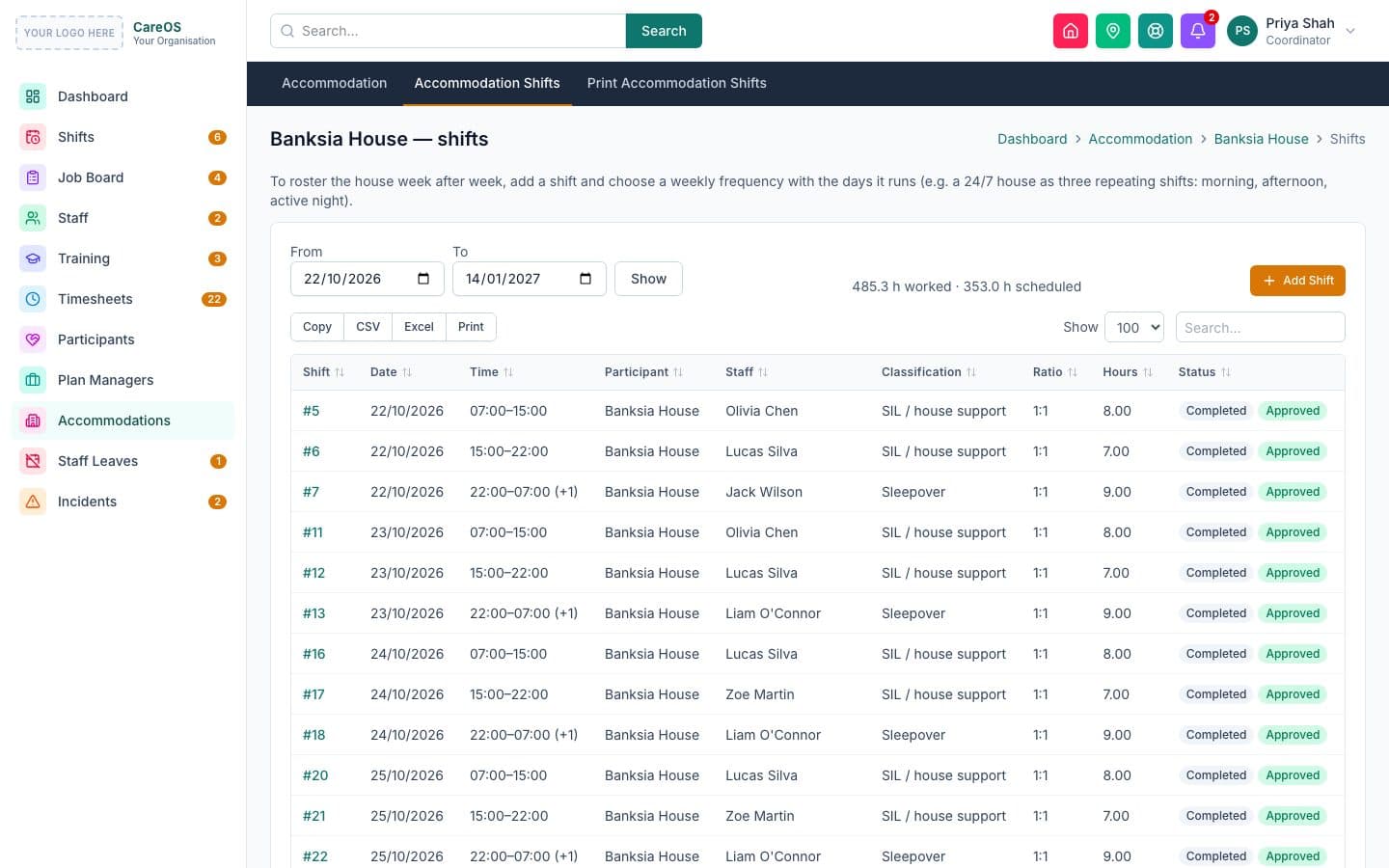
Roster a house rather than a person: morning, evening and sleepover shifts that repeat every day, with every resident's care in front of the worker.
House rosters
Shifts for the house, with all residents' alerts and instructions.
Sleepovers
Sleep periods, night checks, and disturbances paid at the right rate.
Shared shifts
Support two or three people on one shift (1:2, 1:3), with notes for each.
Handover
Notes and charts for every resident, ready for the next shift.
On the worker's phone
Everything a support worker needs, in their pocket
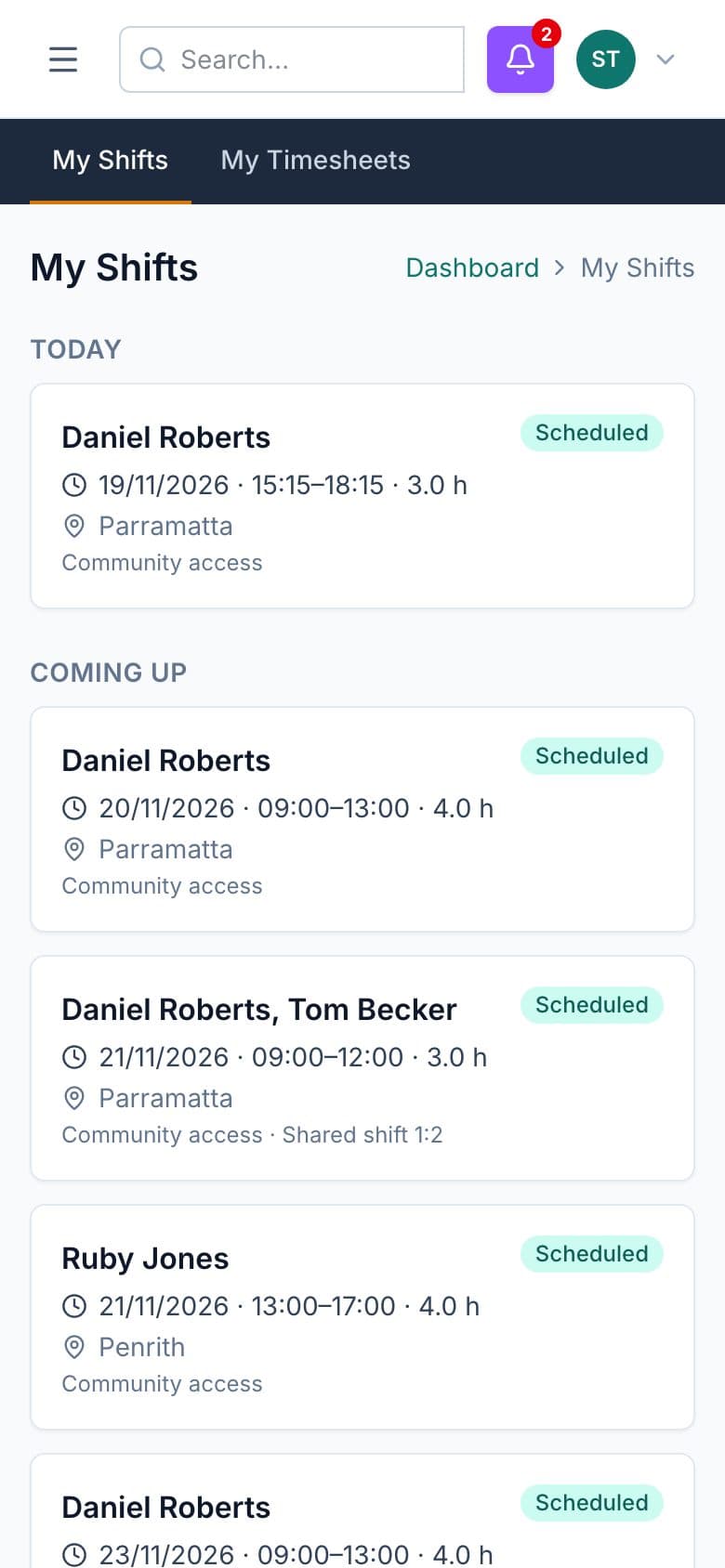
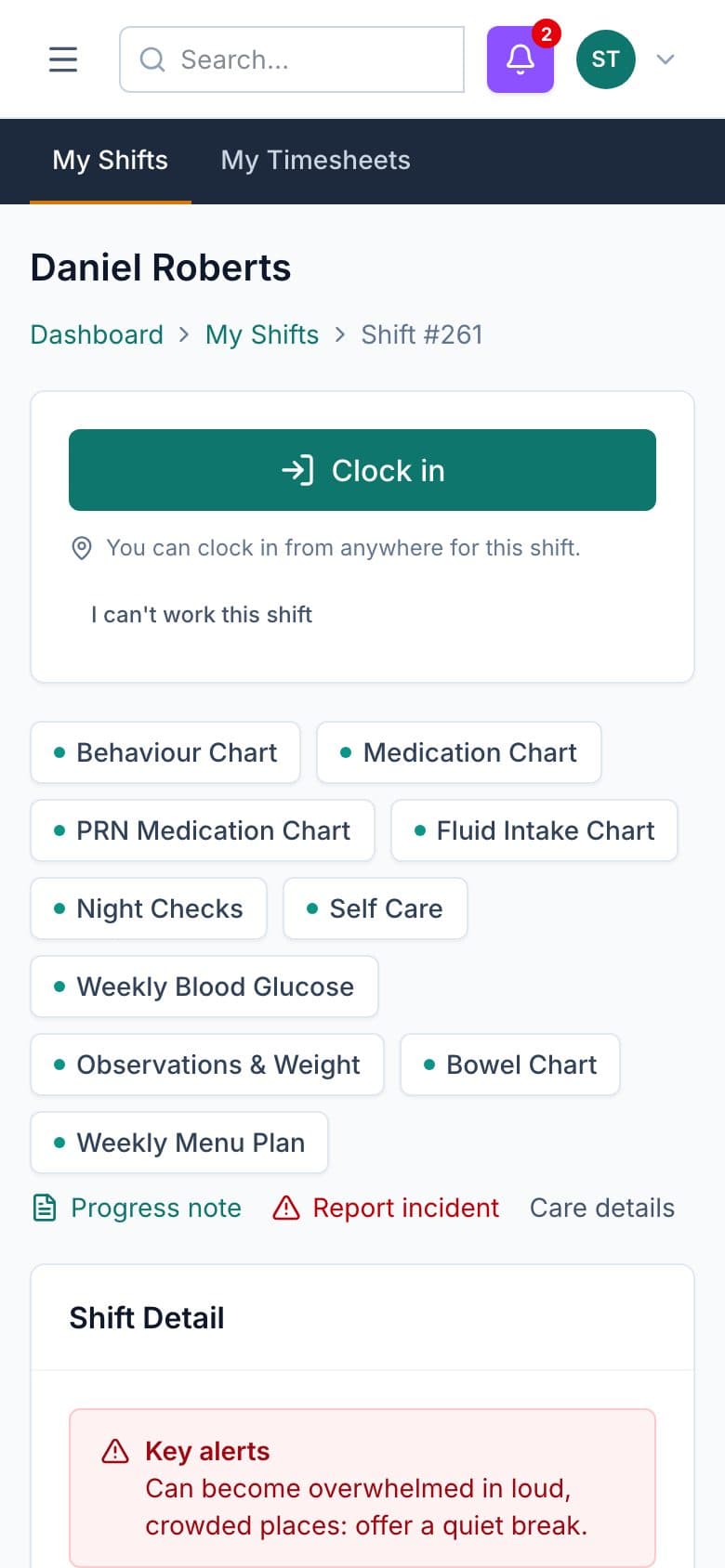
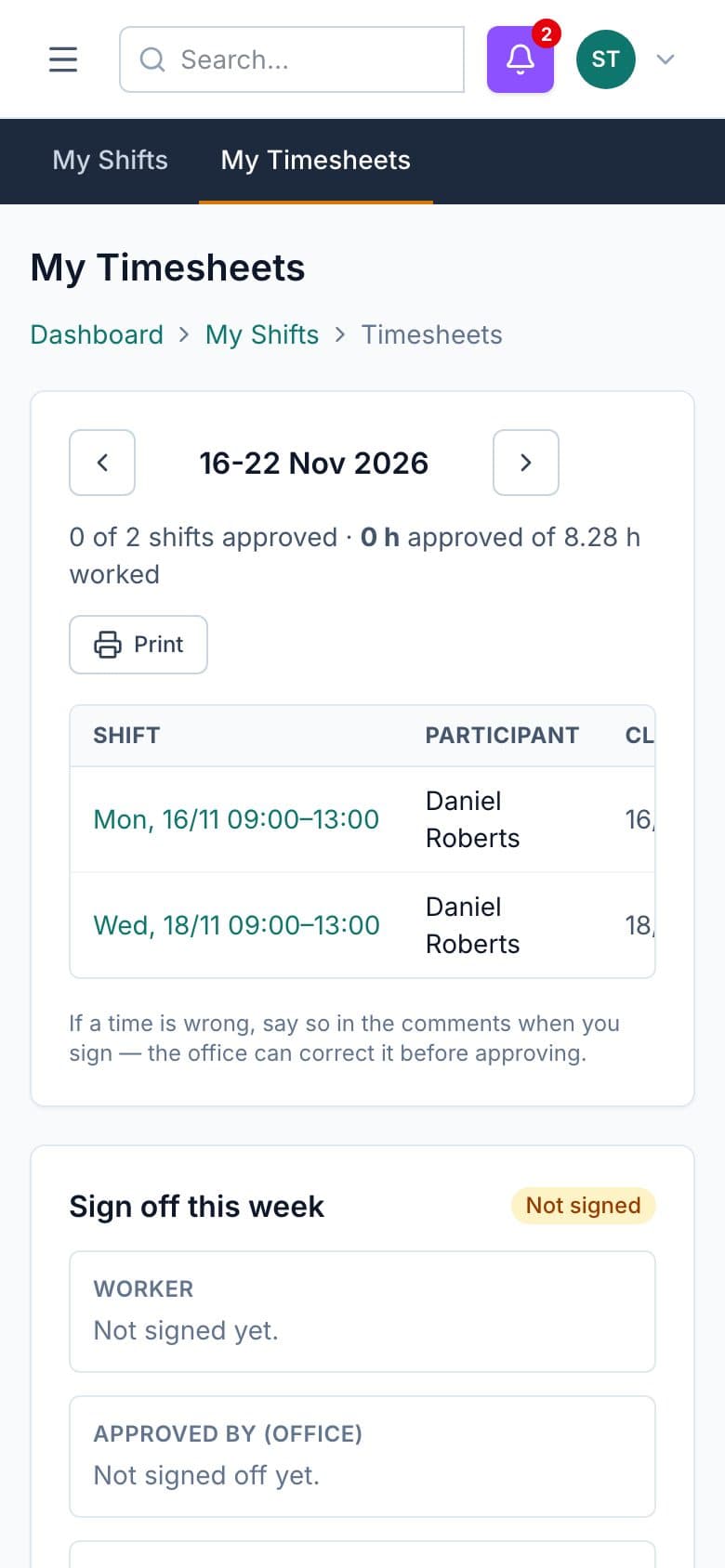
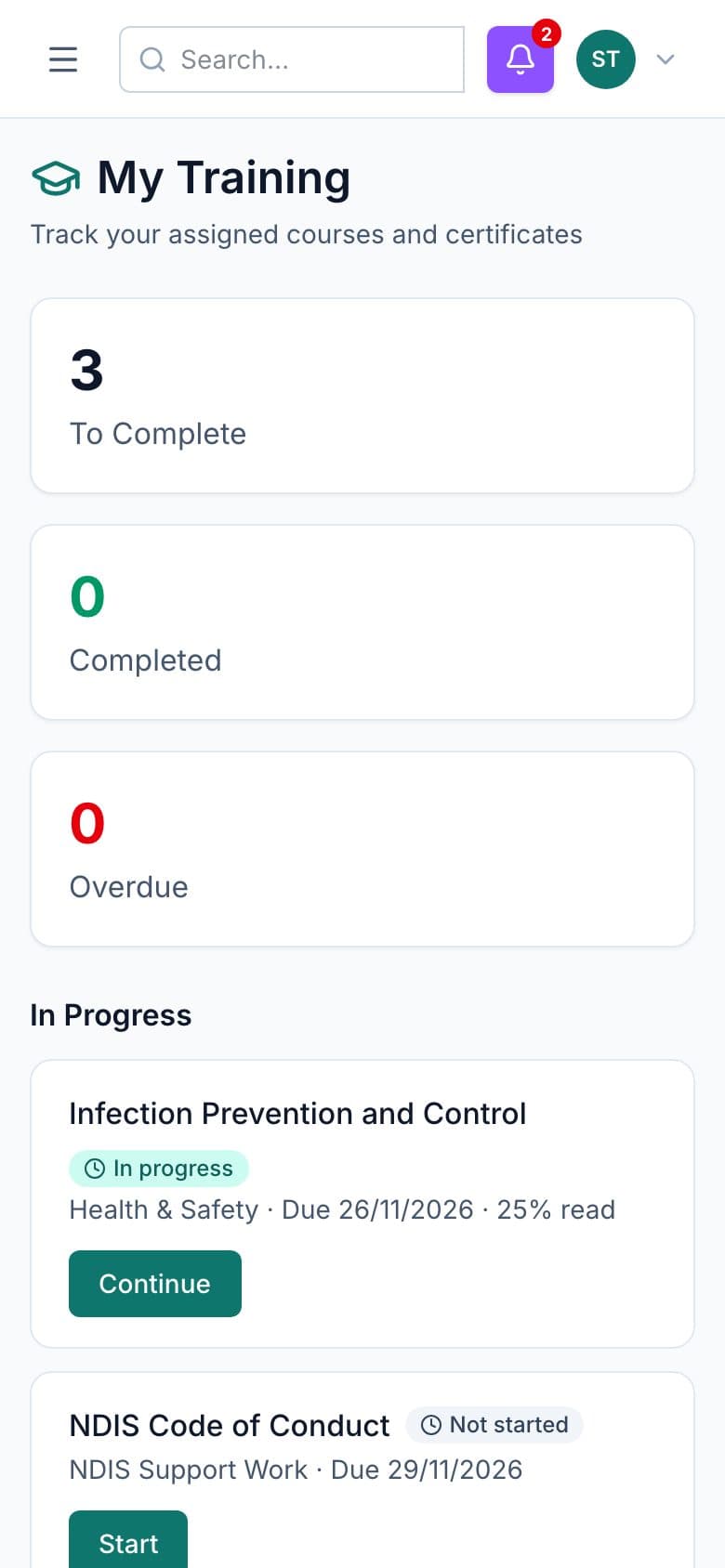
No app to install. Workers see their shifts, clock in, write notes and charts, check their timesheets and complete training from any phone.
Your brand, your system
It looks like yours, because it is
Your logo and colours throughout, on your own web address. Staff, participants and families see your organisation, never ours.
- Your logo on every screen, email, PDF and certificate
- Your colours across the app
- Your own address, such as care.yourcompany.com
- Set up for you, with training for your admins and workers
Your Organisation
care.yourcompany.com
This demo shows a placeholder: your logo goes where it says “Your logo here”.
Security
Built for the privacy your participants deserve
Two-step sign-in
An authenticator app for office roles, with temporary passwords that must be changed at first sign-in.
Roles and permissions
Decide who can view or edit each area, from the office manager to a casual support worker.
Full audit log
Every change is recorded: who did it, what changed and when. Entries can't be edited or deleted.
Tamper-proof signing
Signed documents keep a fingerprint of the exact text, so any later change is obvious.
Hosted in Australia, with daily backups.
Pricing
One setup fee, then a simple monthly price
Setup, in your brand
from $1,999
Hosting and maintenance
from $150/month
Choose the modules you need and see your exact price in a couple of minutes.
Configure your priceFAQ
Questions providers ask
Is the demo real software?
Yes. It's the same system you'd run, filled with a small fictional organisation. You can clock in, write notes, approve timesheets and complete training. Everything resets every night.
Will it carry our name and logo?
Yes. Your logo, colours and company name appear throughout, on your own web address (for example care.yourcompany.com). Staff, participants and families see your brand.
Do workers need to install an app?
No. It works in the browser on any phone, tablet or computer. Workers can add it to their home screen so it opens like an app.
Can we bring our existing staff and participants?
Yes. Staff and participant lists import from a spreadsheet, and NDIS plan budgets can start with what's already been spent.
Does it work out pay under the SCHADS Award?
It works out SCHADS pay lines from approved shifts, including weekend, public holiday, overtime, sleepover and broken-shift rules. Your rates and allowances are set in the payroll settings.
Where is our data kept?
On secure cloud hosting in Australia, with daily backups, two-step sign-in and a full audit log.
See it with your own eyes
Open the demo as an administrator, a coordinator or a support worker. It takes one click.